Google Meet
Live transcription with speaker names
A finished call saves itself as Markdown into a folder on your disk. No bot joins the call, no audio leaves your browser, and the extension is free.
Works in Chrome and in Chromium browsers that read the Chrome Web Store.
What happens on a call
- 01
It starts when the call does
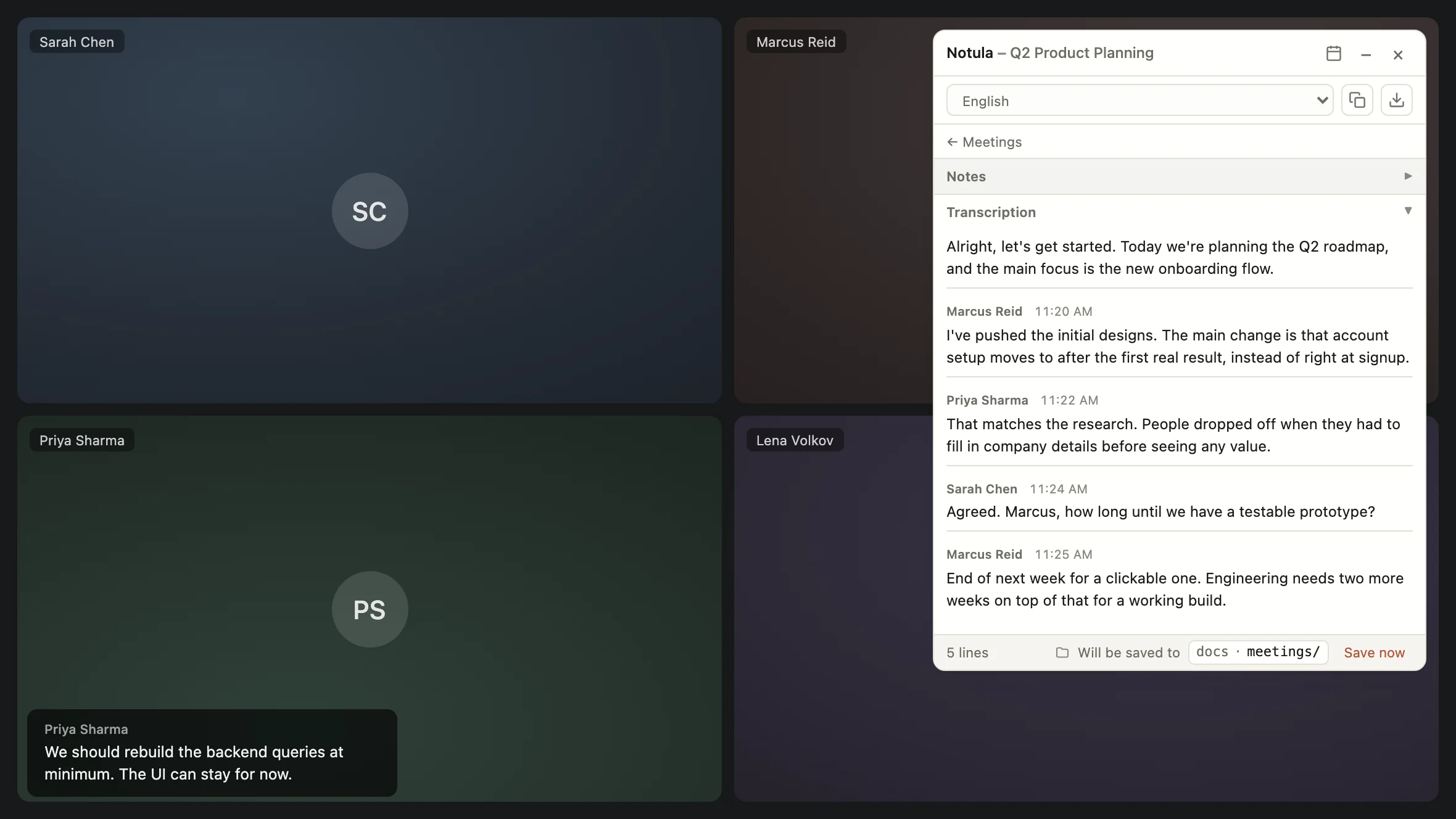
Join a Google Meet call and the extension begins transcribing. Captions are turned on for you. A floating panel on the page shows the transcript as people speak, and it can be dragged, resized or put away.
- 02
Speaker names come from the call
Every line carries who said it, taken from Google Meet itself rather than guessed from the audio. Consecutive lines from the same person are joined into a paragraph, and the chat is kept alongside the transcript.
- 03
The call ends and the file appears
A finished call writes itself into a Markdown file in the folder you picked, with a frontmatter block and the transcript under it. Nothing to copy, nothing to name.
- 04
Next week it goes to the same place
A call that comes back every week lands where it landed last time, and keeps the caption language it had last time. Set one folder for everything, or choose per call.
The folder is a folder in your repository
Notula is the desktop app this extension saves through: a free Markdown editor for macOS, Windows and Linux that keeps documents in a folder on your disk. So a finished call becomes a Markdown file in a repository you already have, committed and reviewed like everything else in it, rather than a transcript in somebody's product.
- The panel says where the meeting will be saved, before it is saved and after
- Save now writes what has been said so far, without waiting for the call to end
- Notula asks before it lets the extension in, and the extension writes Markdown files and nothing else
- The extension keeps working without Notula: the transcript is still there and still exports
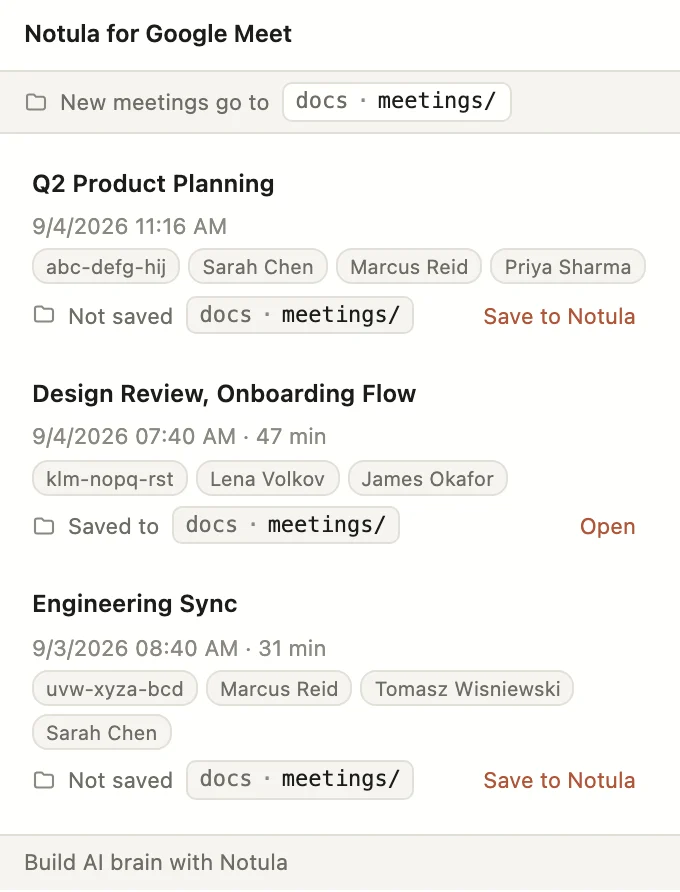
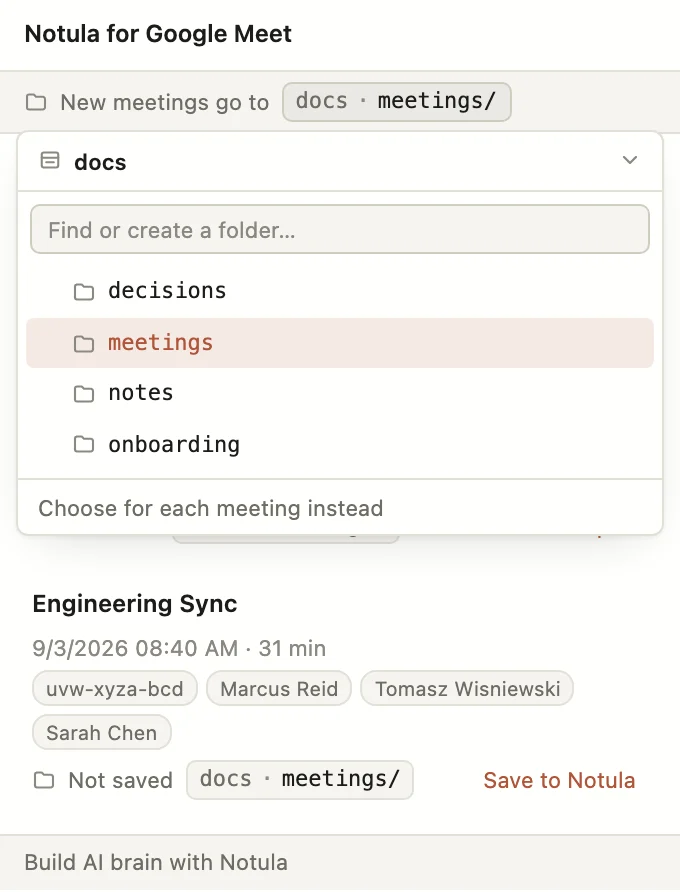
What that folder adds up to, once every tool you run is writing into it, is the AI brain - one repository your assistants can read, that you own.
Thirty-one languages
English, Spanish, French, German, Japanese, Korean, Chinese, Russian, Arabic, Portuguese and twenty-one more. The language you pick is set in Meet for you, and a recurring call keeps the language it was in last time.
Nothing leaves the machine
Transcription is Google Meet's own caption system read from the page. No audio is recorded, no bot joins the call, and nothing is sent to a server of ours, because there is no server of ours. Meetings are stored in the browser's local storage on your device.
Saving to Notula is a request to the app running on the same machine, over the loopback address, carrying a token you granted from inside Notula. It reaches nothing else, and only the repositories you let it into. The full privacy policy says what is handled and what is not.
Add it, then open a repository
The extension is free and works on its own. Notula is free too, with no account and no server, and it is what turns a transcript into a file in your repository.
Apple silicon above. Intel and Windows builds, and what to do if Windows blocks the installer.