Ask about the words you selected
Press Ask on the selection toolbar, or Cmd+L. The assistant is told the passage, the line and the heading it sits under, so you never paste context into a chat again.
Docs as code, without having to be a coder. Like
Google Docs, on files that never leave the repository:
comment on a passage, reply, resolve, browse the docs in a tree, and
publish without anybody being shown a rebase.
Free, and it stays free. No account, no server. macOS, Windows and Linux.
Claude Code and Codex work beside the page, and every change they make is marked on it.
retry-policyplatform-docs
Retry policy
Payments go out through three providers, and any of them can go quiet.
A request the provider has not answered in 30 seconds is retried three times with backoff, then marked failed, and the merchant is told.
Changed by Claude CodePut back
A payment marked failed is never retried by hand.
Claude Codeyour plan
Cut it to one sentence. The 30 seconds, the three retries and the backoff are all still there.
Edited retry-policy.md
Runs on your Claude plan, never on an API key.
Press Ask on the selection toolbar, or Cmd+L. The assistant is told the passage, the line and the heading it sits under, so you never paste context into a chat again.
It edits the documents in the folder directly, and each change is marked on the page where it happened. Changing your mind is one press, not a git command.
It runs the Claude Code or Codex already on your machine, signed in as you. No API key to paste, and nothing is billed through Notula.
Switch between Claude Code and Codex, and between their models, from under the message box.
Name another document with @ and it reads that one too. Anything outside your
documents - a command, a source file, a web page - waits until you allow it.
Your tools did not. What docs as code costs a team.
Agents read, write and review plain .md natively. Files in the repo are where they are strongest, and where your engineers already review changes.
Specs, PRDs, RFCs and runbooks left the wiki and landed next to the code. That was the right call, and nobody is moving them back.
No comments, no threads, no way to browse, no way to edit a paragraph without learning a code editor, a diff and a rebase first.
Speaks git and nothing else, so it works with what you have
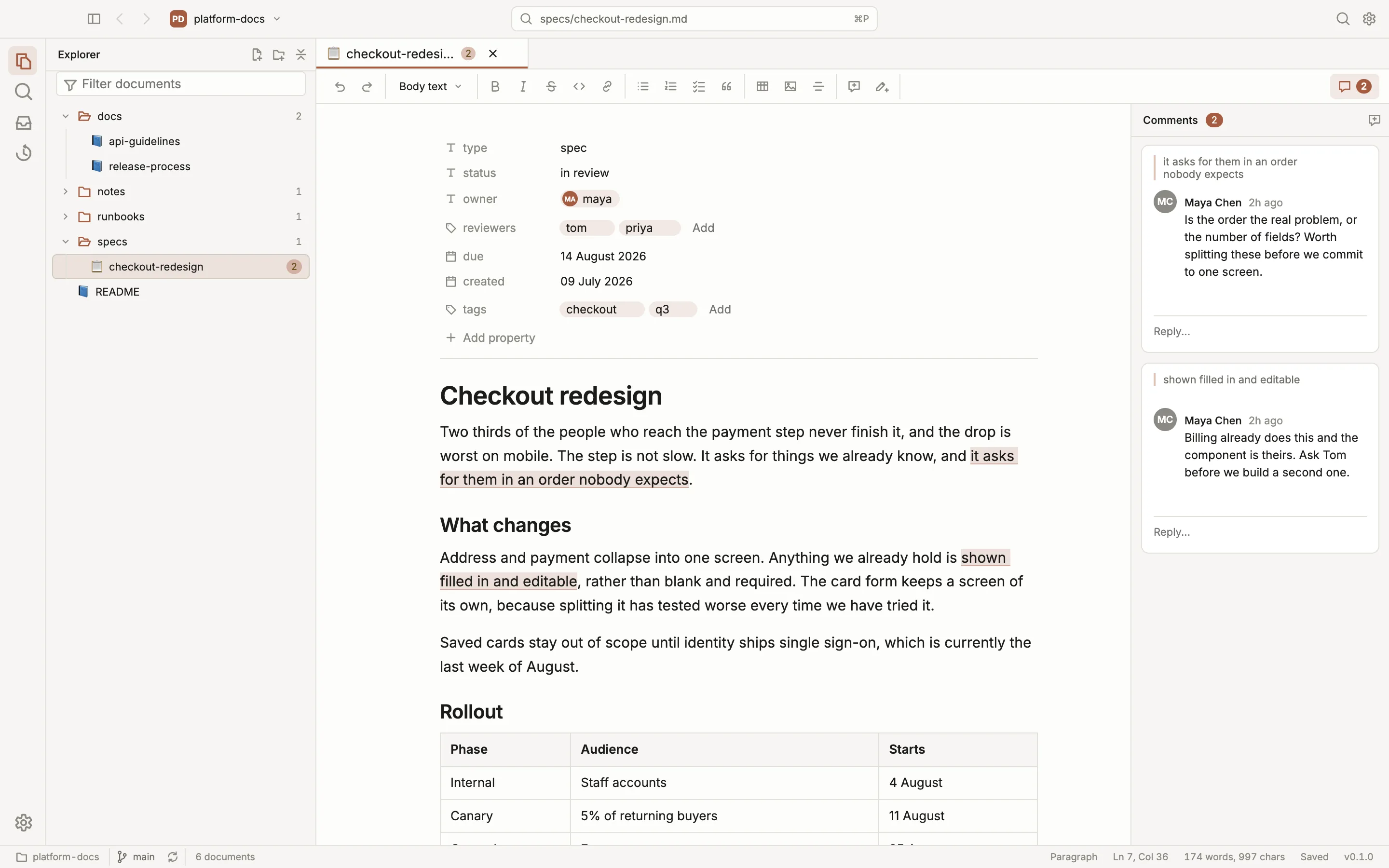
Open a repository with thousands of source files and get a clean tree of Markdown. Folders with no documents in them never appear.
How the workspace is built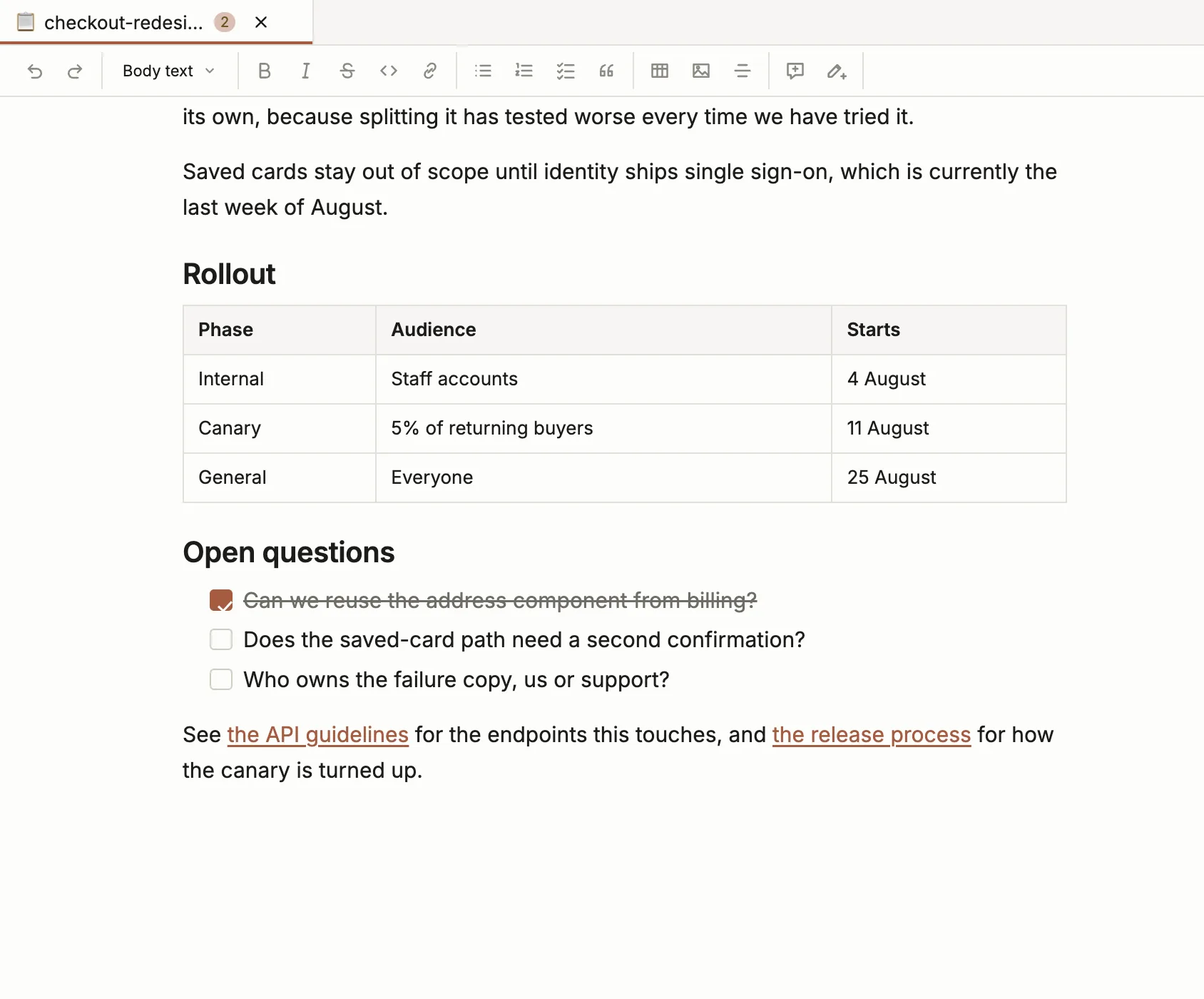
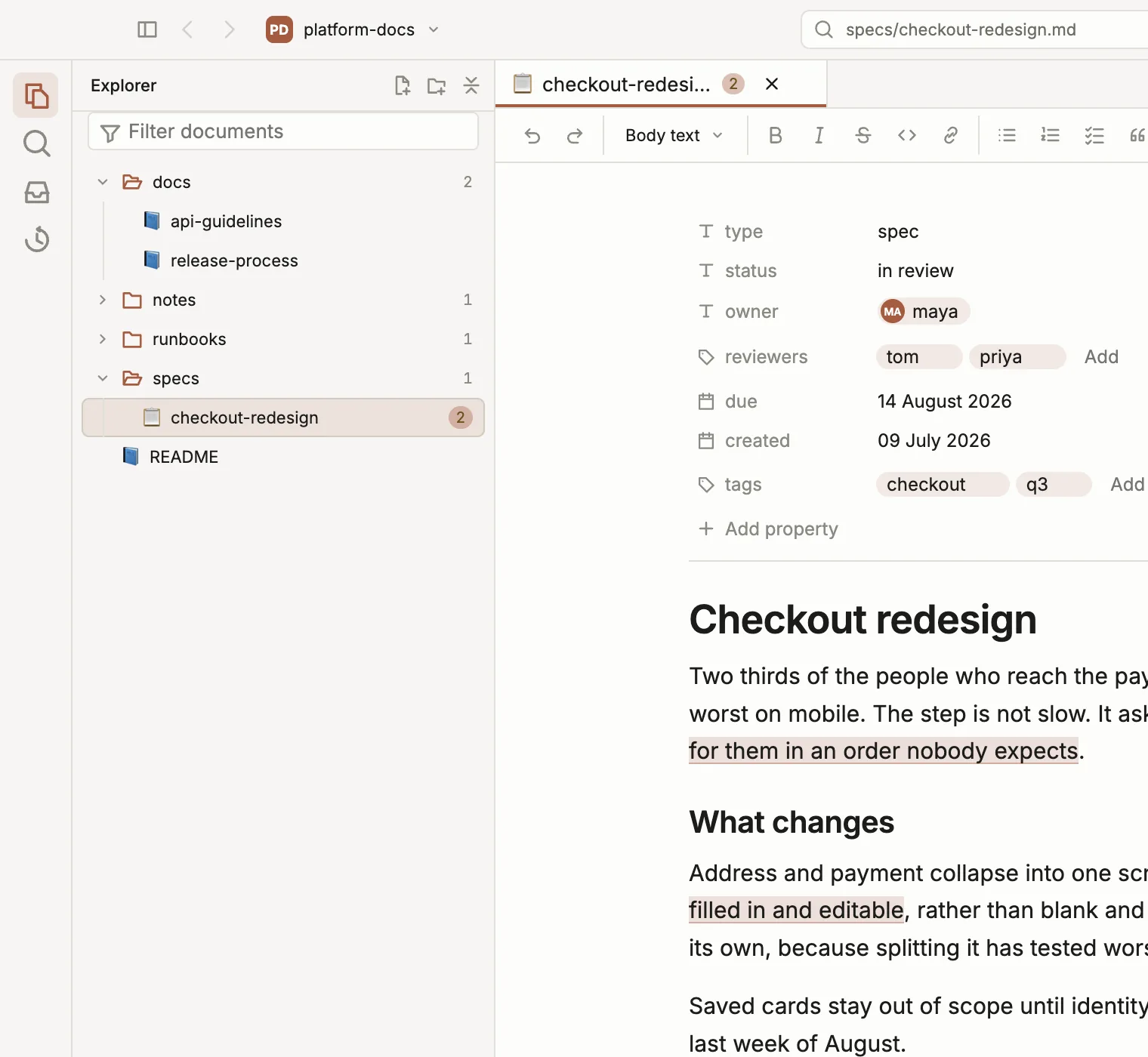
No Markdown syntax, ever. No hashes, no asterisks, no table pipes, not even on the line your cursor is on. The file on disk stays ordinary Markdown.
See what it writes back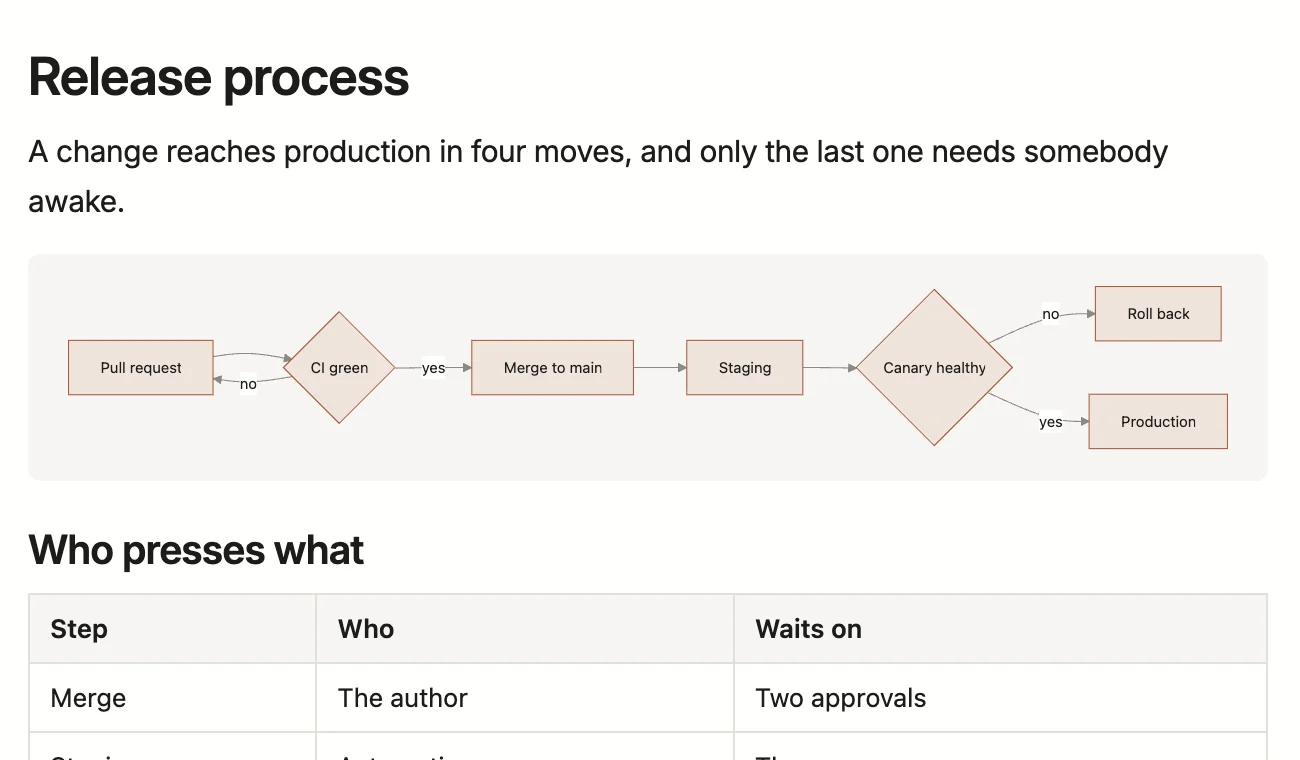
A mermaid block is a picture in the document, not a wall of arrows and brackets. On disk it is still the same fenced block, so it draws on the host too.
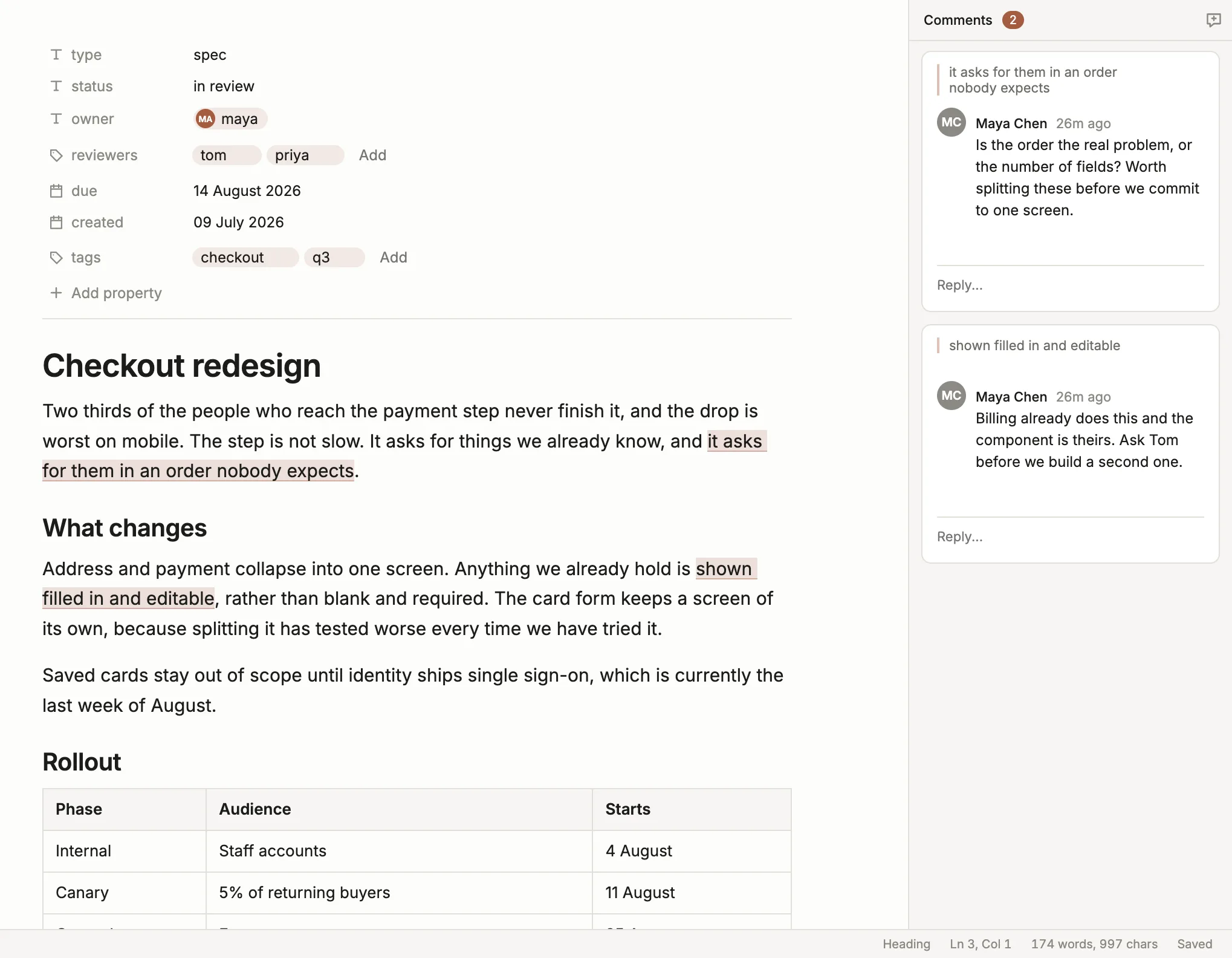
Select a passage, leave a comment, reply, resolve.
And they are told, by name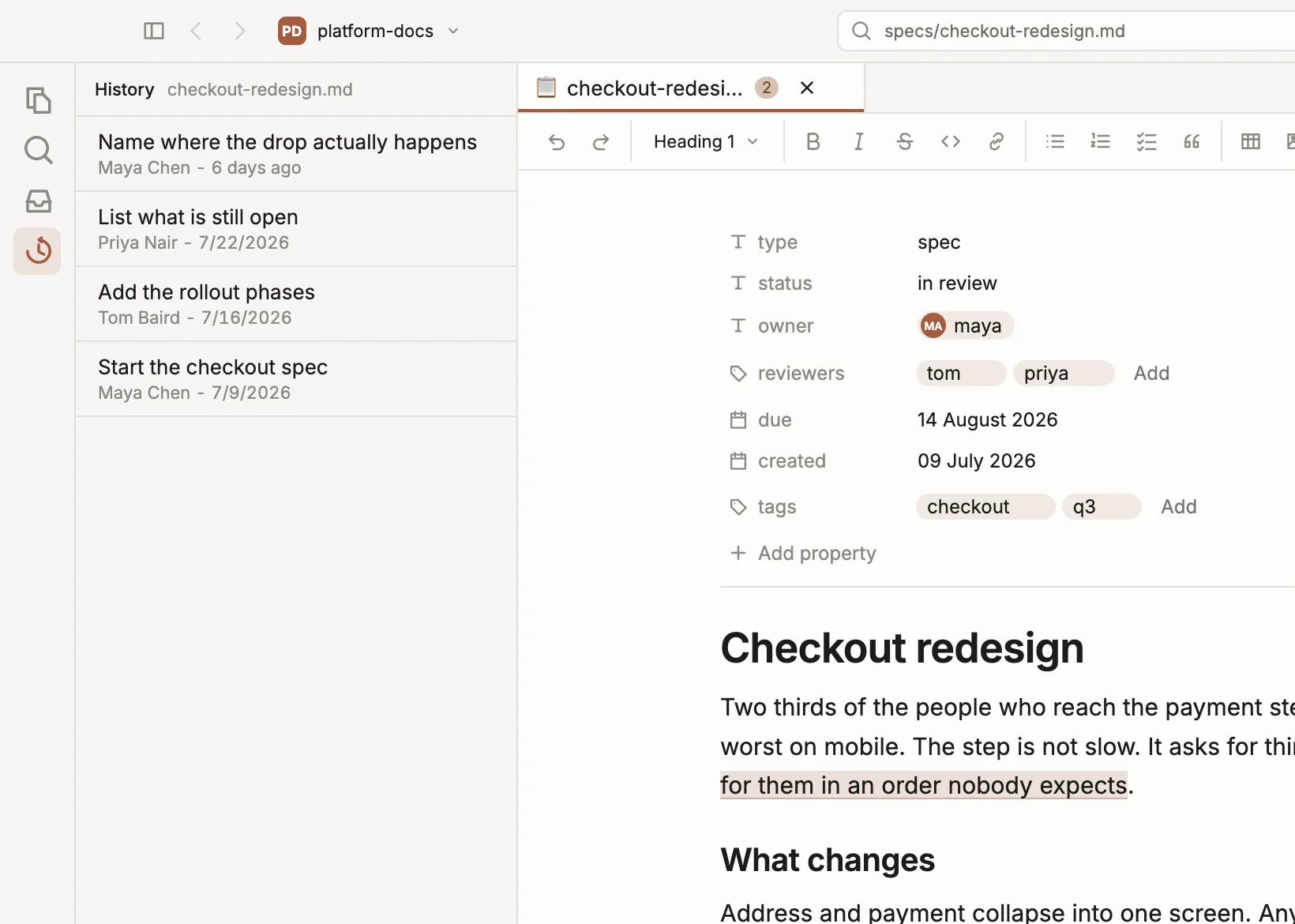
Every version of the document is there to read and to bring back. Nobody is ever shown a rebase, a stash, or the words detached HEAD.
What it will never doand nothing ever changes under your cursor.
Your machine tells you, with the sentence they wrote.
Maya Chen named you
Is the order the real problem, or the number of fields?
checkout-redesign.md · platform-docs
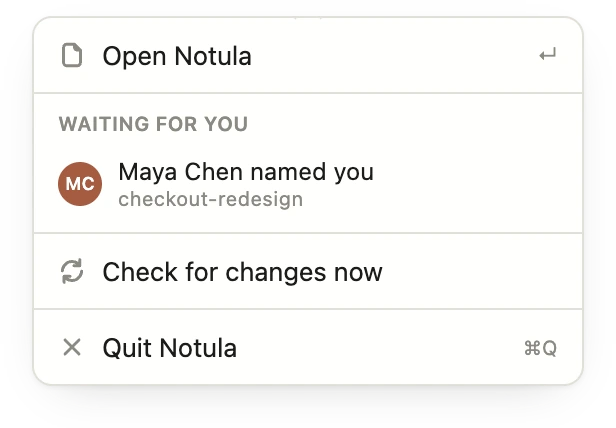
And you did not have to go and ask.
A conversation is committed next to the document it is about, so it arrives with the clone and outlives every account.
Follow a link and the document opens in the same pane. Back and forward return you to exactly where you were, scroll position included.
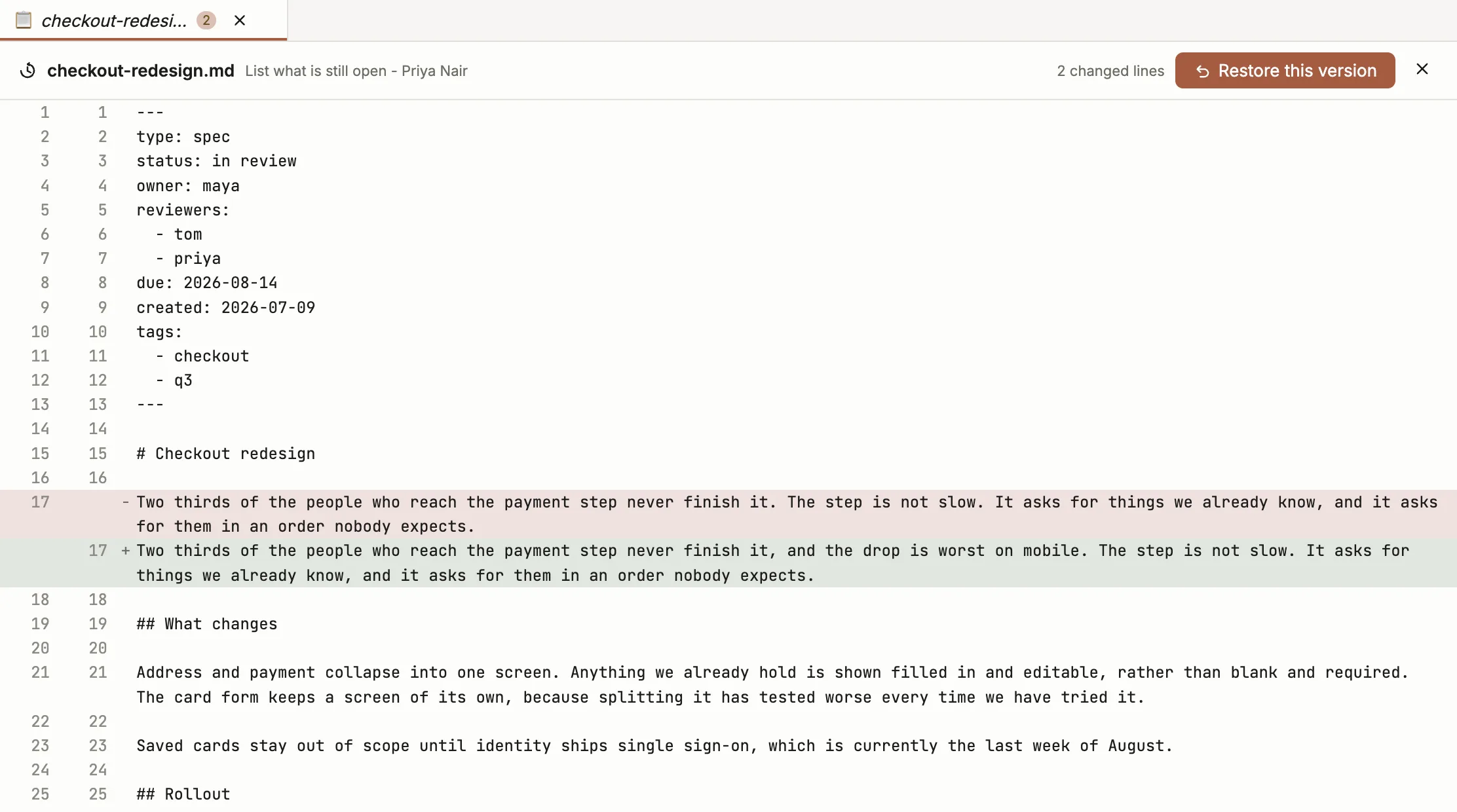
Notula writes back only what changed. Across 6,000 real documents, 96.4% of blocks survive an edit untouched.
Where the project actually isNotula writes down how the workspace works, and points Claude Code at it.
notula-agents.md describing the document
types, the fields, the layout and the commands, and borrows three
lines of your CLAUDE.md to point at it. It never
overwrites what you wrote there.
notula docs move, because the
comment log is filed under the document's path and a plain
mv orphans every thread on it.
--json - so an agent operates the
workspace instead of guessing at files.
The three lines in your CLAUDE.md
<!-- notula:begin -->
This repository is edited with Notula.
What it keeps here: @notula-agents.md
<!-- notula:end -->A free Chrome extension transcribes the call and hands the file to Notula.
Notula for Google Meet
Free, and it works on its own. Thirty-one languages.
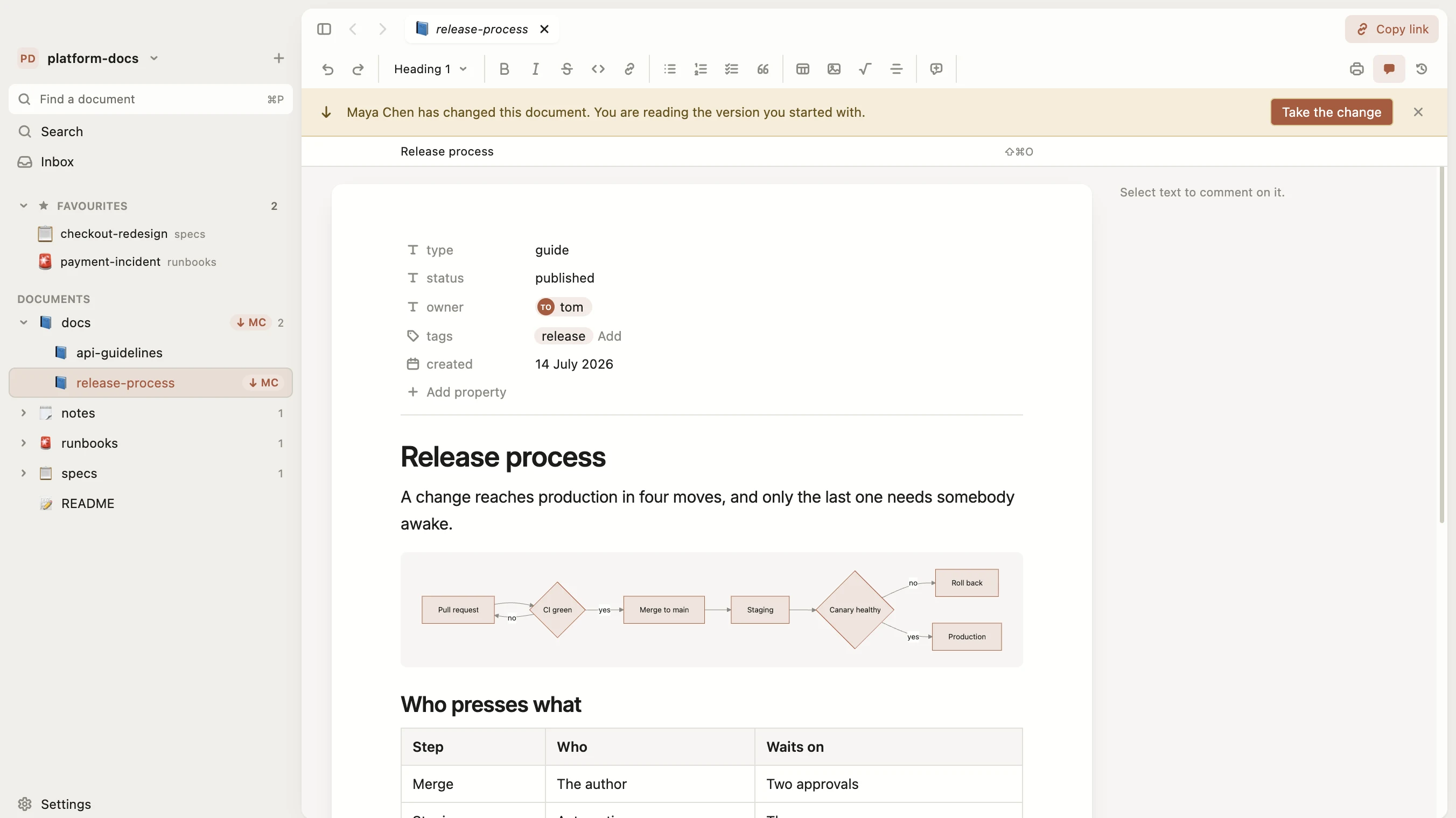
Add to Chrome What it does, in fullMCMaya Chenrelease-process
Release process
A change reaches production in five moves, and only the last one needs somebody awake.
platform-docsorigin/main
TOTomrelease-process
Release process
A change reaches production in four moves, and only the last one needs somebody awake.
The one your engineers already push to. Notula reads it with git ls-files, so a repository with thousands of source files opens instantly and .gitignore is respected for free.
Headings, tables, links and images, with no syntax on screen. What lands on disk is ordinary Markdown that reviews in a normal pull request.
Notula fetches in the background and tells you what arrived. Publishing is one sentence about what changed, and if two people edited the same paragraph you pick between two versions, not between conflict markers.
Notula is a guest in someone else's worktree and behaves like one.
Every git command carries an explicit pathspec. Notula never stages the whole worktree.
Open a repository that has someone else's uncommitted changes in it. Notula never stashes and never rewrites history.
Notula commits to the branch you are on and never creates or switches one. If it is protected, it says so before you edit.
There is no Notula server and no account. Documents, comments and history live as files in the repository, and the only things the app talks to are your own git remote and the releases page it updates itself from.
This is the honest state of each part today.
The decisions that matter are written down before the code, using GitHub Spec Kit. The source is private while the app is this young. The downloads are not, and every build carries the release notes for what changed.
One that shows you the formatted document while you type, instead of the syntax that produces it. No hashes in front of headings, no asterisks around bold, no pipes in tables. It is not the same as live preview, which puts the raw text in one pane and the rendering in another. Notula has no raw pane: the document on screen is the document, and what lands on disk is ordinary Markdown.
Keeping the documentation in the same repository as the software, in plain text, reviewed and versioned the way the code is. It solved the problem of documentation drifting away from what actually shipped, and it created a new one: only the people fluent in git could take part. Notula is an answer to the second problem, not a replacement for the first.
Only the files you edit and the comment log beside them. Every git command carries an explicit pathspec. It never stages the whole worktree, never stashes, never rewrites history, and never creates or switches a branch.
No. You open a folder, write, and publish with one sentence about what changed. Nobody is shown a rebase, a stash, or a conflict marker.
Yes. Notula drives the git already installed on your machine, so the SSH key or credential helper you already use is the one it uses. It never asks you for a password and stores no token of its own.
Committed in the repository next to the document, as an append-only log with a union merge driver. They arrive with a clone and outlive every account, and the documents themselves stay clean.
No. It asks git for the file list rather than walking the disk, keeps the Markdown, and respects .gitignore for free. Thousands of source files open as a tree of documents and nothing else.
Notula checks every thirty seconds while you are working, and every few minutes when you are not. Anything that arrived is marked with the name of whoever wrote it, and stays marked until you take it - the document on your screen never changes on its own.
Yes, and it stays free. No account, no server, no seat to pay for. If something paid ever appears it will be a service with a server behind it, like publishing a document to a public page. The app on your machine is not that.
That is the point. Notula writes a briefing describing the workspace and links it from your CLAUDE.md, so the agent knows the conventions. When it rewrites a document you have open, the change lands in front of you.
Yes. If Claude Code or Codex is installed on your machine, Notula opens it in a column beside the document, on the plan you already have - no API key, and nothing billed through Notula. Select a passage and press Ask, or Cmd+L, and it arrives in the chat with its line and heading. What the assistant changes in your documents is marked on the page and can be put back, and anything else, such as running a command, asks you first.
Yes. Notula ships for Windows on x64 and arm64, for macOS on Apple Silicon and Intel, and for Ubuntu and Debian on amd64 and arm64, all from the same page. macOS and Windows update themselves, and on Linux apt keeps it up to date.
Not inside GitHub itself, unless you open a pull request for it. Notula adds comment threads to any Markdown file in a cloned repository - GitHub, GitLab, Bitbucket, Gitea, or no remote at all - and commits them beside the document as an append-only log. They arrive with a clone, and nothing is written into the Markdown.
Yes, drawn in the document rather than shown as a fence. On disk it stays an ordinary mermaid code block, so GitHub and Obsidian render it too.
No. Notula is a studio over files you already own, your Markdown and your repository and your git, and it keeps nothing of its own. The comment log is a plain file committed beside the documents, the workspace schema is published, and the notula command does everything the window does. Delete the app and every document and every comment is still there, readable without it.
Free, and free of accounts. macOS on Apple Silicon and Intel, Windows on x64 and arm64, both updating themselves from then on. Linux on amd64 and arm64, kept up to date by apt.
Apple Silicon. On an Intel Mac, on Windows, or on Linux. 64-bit. On Windows on Arm, on macOS, or on Linux. A .deb for Ubuntu and Debian on amd64. On arm64, on macOS, or on Windows.
The installer is not signed yet, so Windows blocks it once. The download walks you through it.
If Windows will not run the installer, read this first
On Linux, add the apt repository once and Notula updates with the rest of the system. The downloaded .deb does not update itself.
wget -qO- https://github.com/anetrebskii/notula-releases/releases/download/apt/notula-archive-keyring.gpg | sudo tee /usr/share/keyrings/notula-archive-keyring.gpg >/dev/null
echo "deb [signed-by=/usr/share/keyrings/notula-archive-keyring.gpg] https://github.com/anetrebskii/notula-releases/releases/download apt/" | sudo tee /etc/apt/sources.list.d/notula.list
sudo apt update && sudo apt install notula notula-cli
notula-cli is the notula command on its own, for a
server an assistant runs on. Leave it off if you do not need it.
Notula is early, and what people write in here is most of what gets built next.