iPhone

Take a note on the go. It lands in your repository.

A Markdown editor for the notes and docs kept in a git repository you already have. Read and write them without learning the syntax, dictate a note, answer a comment - on GitHub, GitLab, or a GitLab server of your own. Nothing new to sign up for.

In beta on TestFlight, and not on the App Store yet. The desktop app for macOS and Windows is out now.

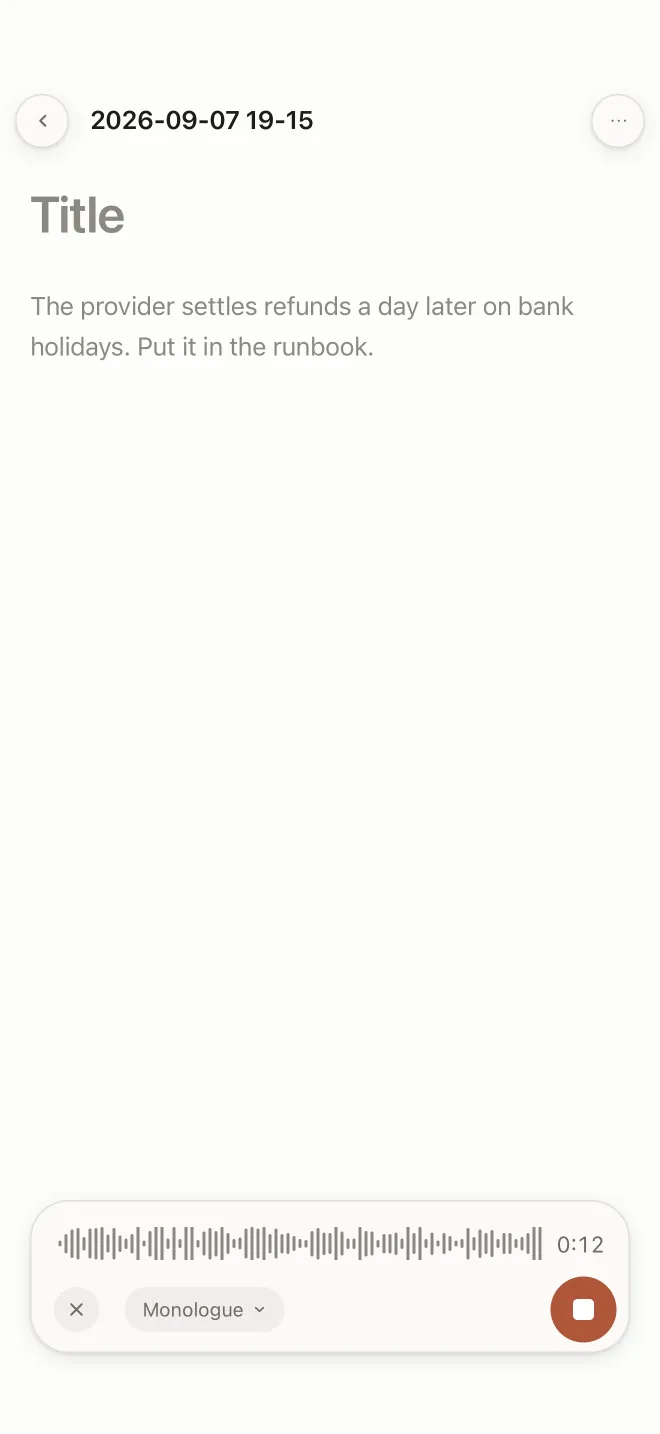
A new note being dictated on the phone, the words appearing as they are spoken and a waveform running along the foot of the screen.
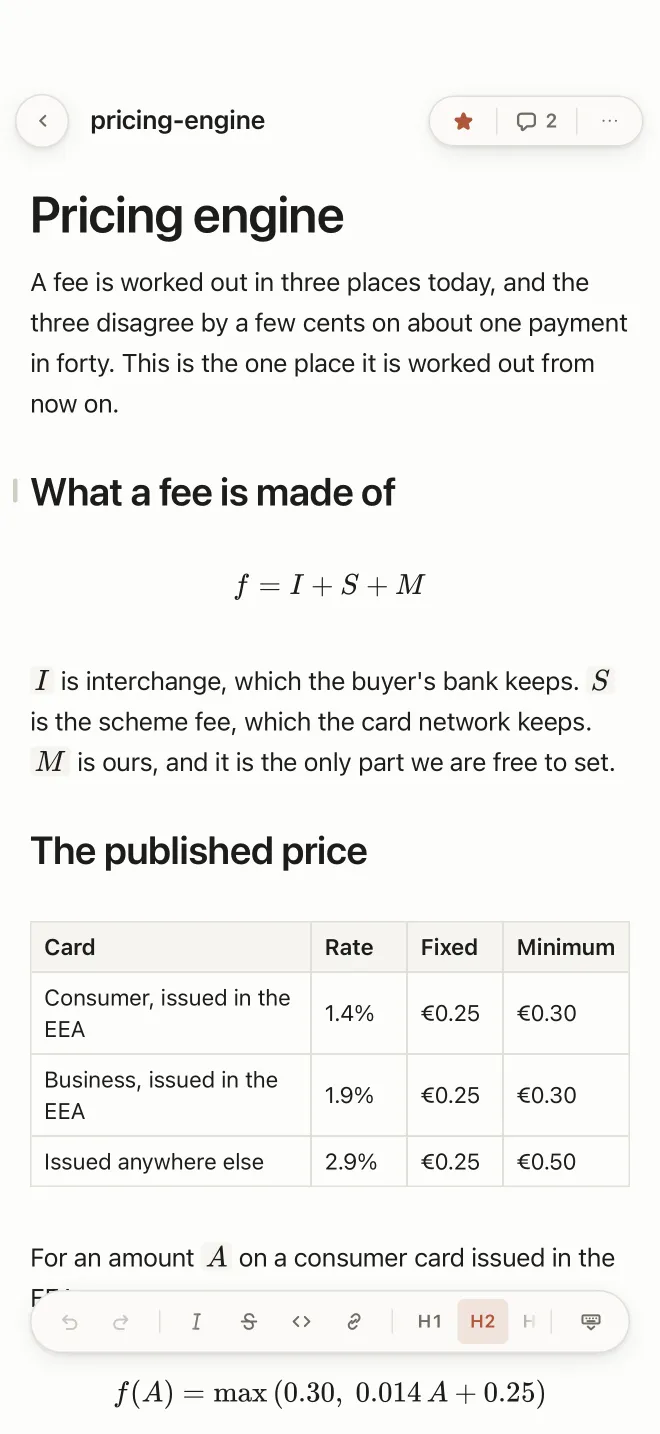
A pricing document open on the phone, with a heading, a formula, a table of card rates and the formatting strip at the foot showing H2 selected.
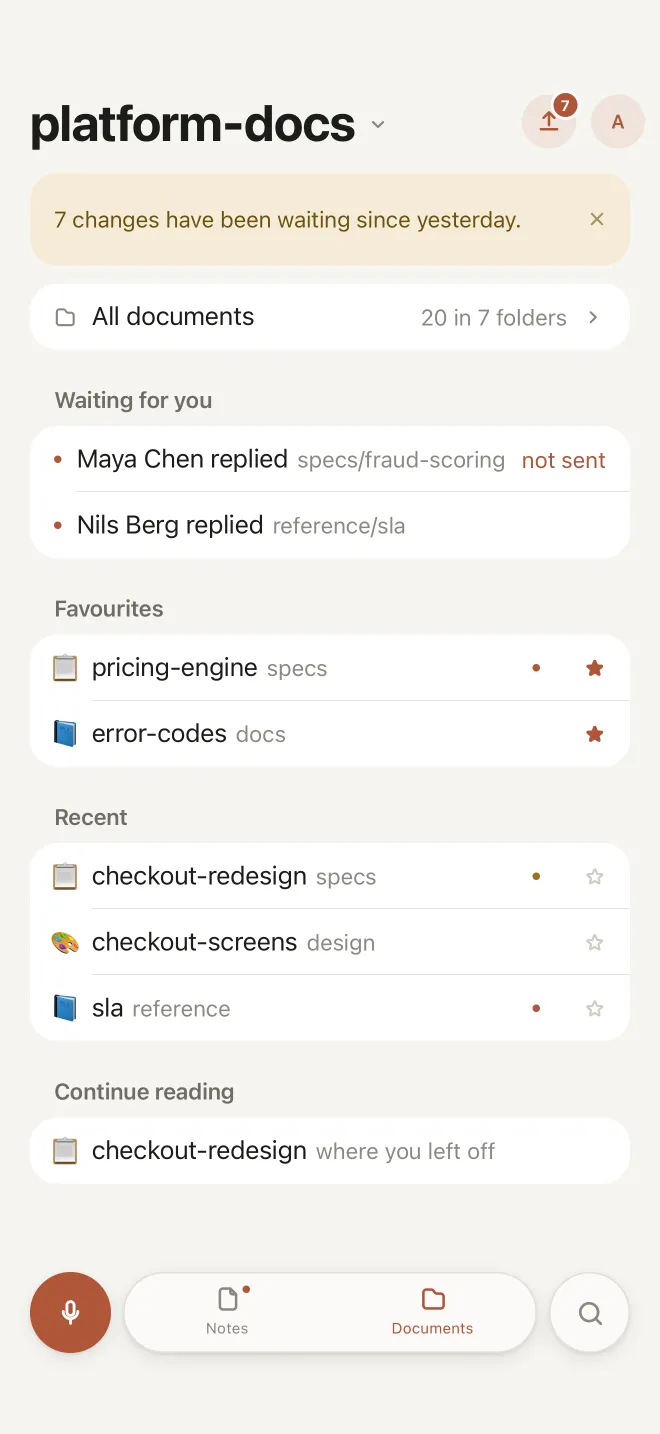
The home screen of the phone app: a banner saying seven changes have been waiting since yesterday, two people who replied, favourites and recent documents.

Markdown, without teaching syntax

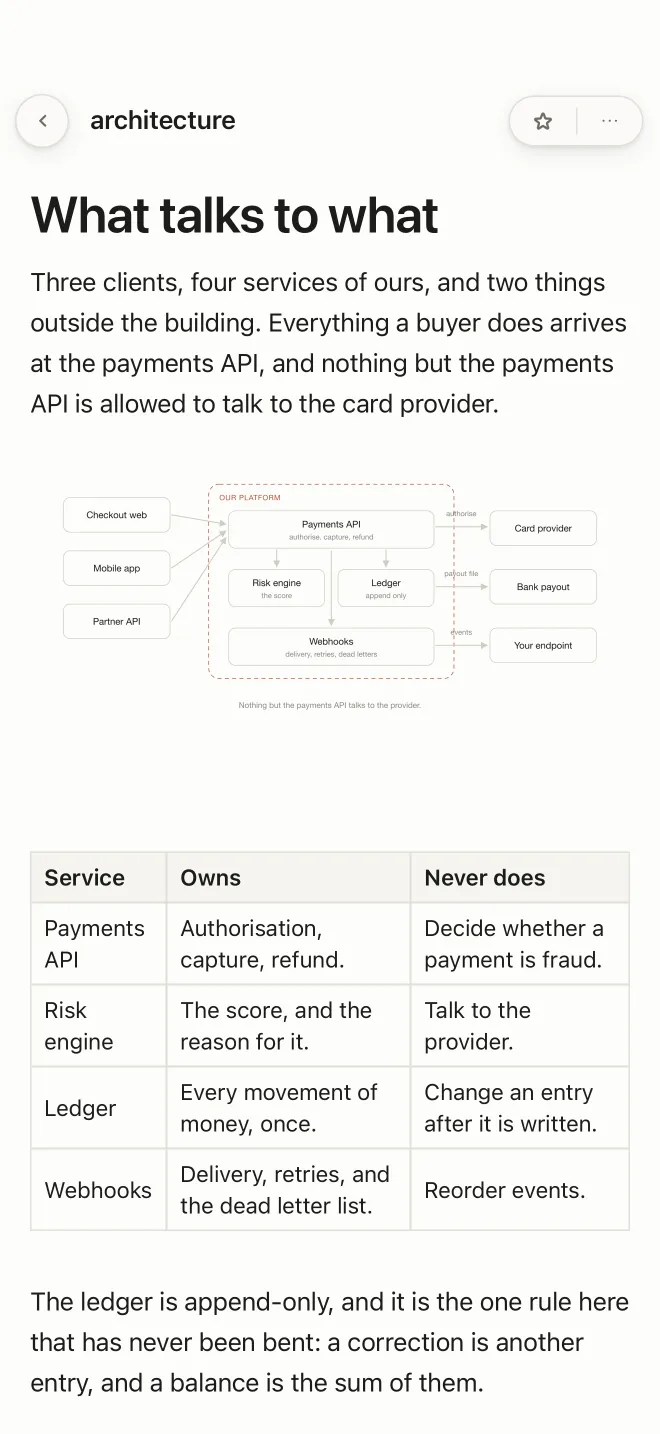
Every file is laid out to read - tables, diagrams, formulas and the pictures it points at - and stays plain .md in your own repository.

An architecture document open on the phone: a heading, a paragraph, a drawn diagram and a table of services, laid out to read.
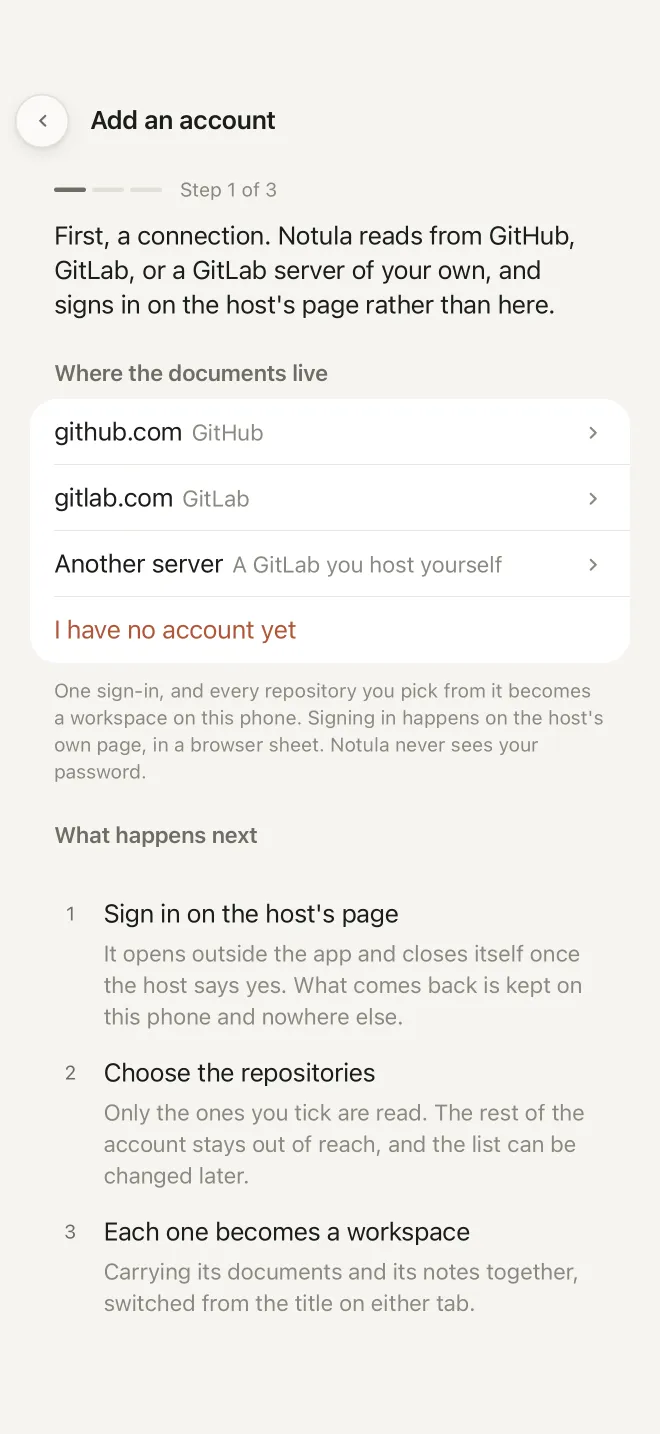
The account screen on the phone, offering github.com, gitlab.com and a GitLab you host yourself, with the three steps that follow written under it.

One connection to GitHub or GitLab

Or a GitLab server of your own. Sign in on the host's own page, tick the repositories you want with you, and each one becomes a workspace on this phone.

One word finds it

The recent documents stay on the phone for where there is no signal, and search works there too.
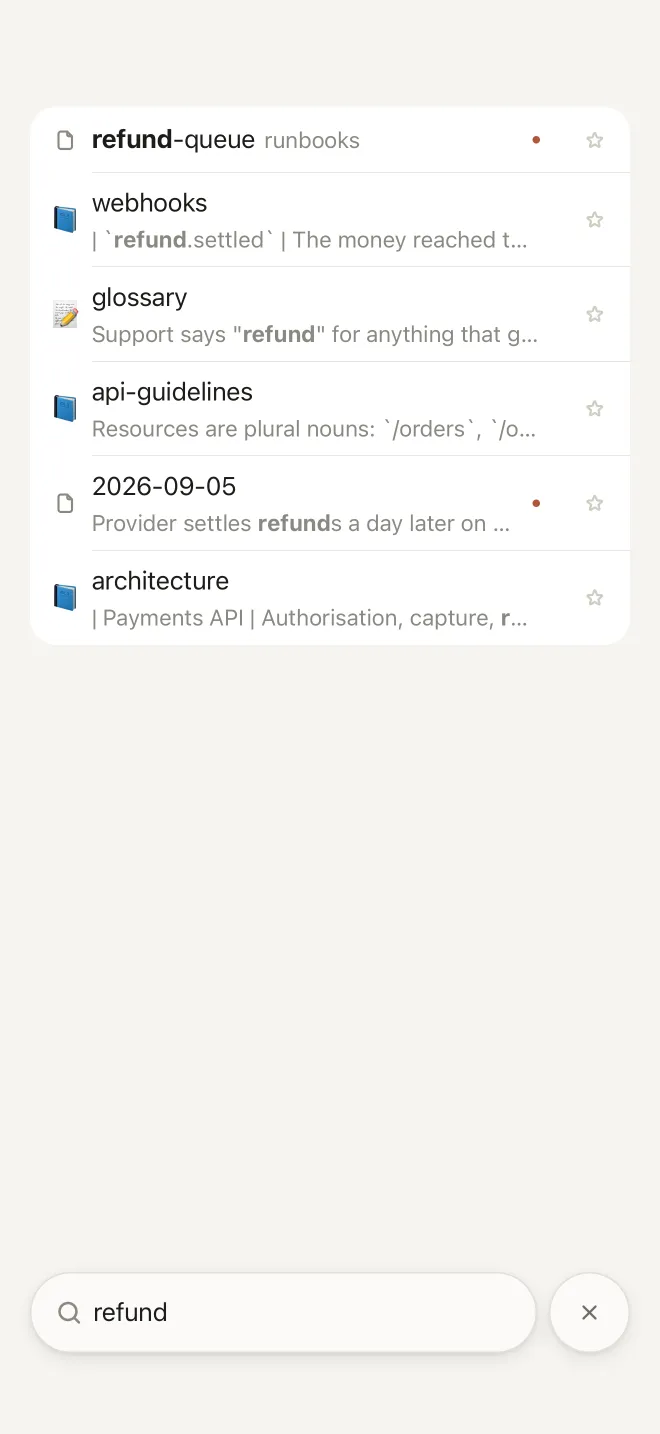
A search for the word refund on the phone, with five documents matching it and the word picked out in each line.

Leave a comment for a colleague

It lives in git, next to the document. A question left on a document reaches you here, and your reply goes back as a commit under your name.
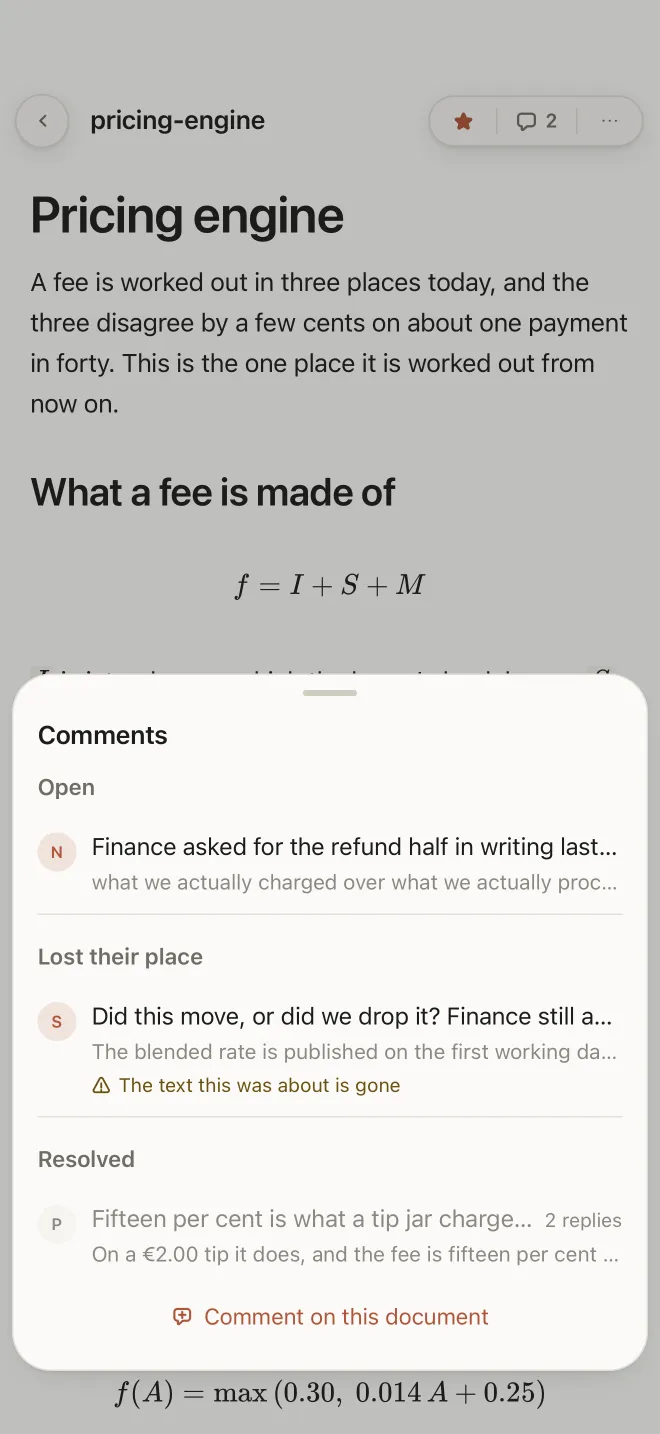
The comments on a document, on the phone: an open thread, one whose text has gone, and a resolved one with two replies.

Nothing leaves this phone until you send it

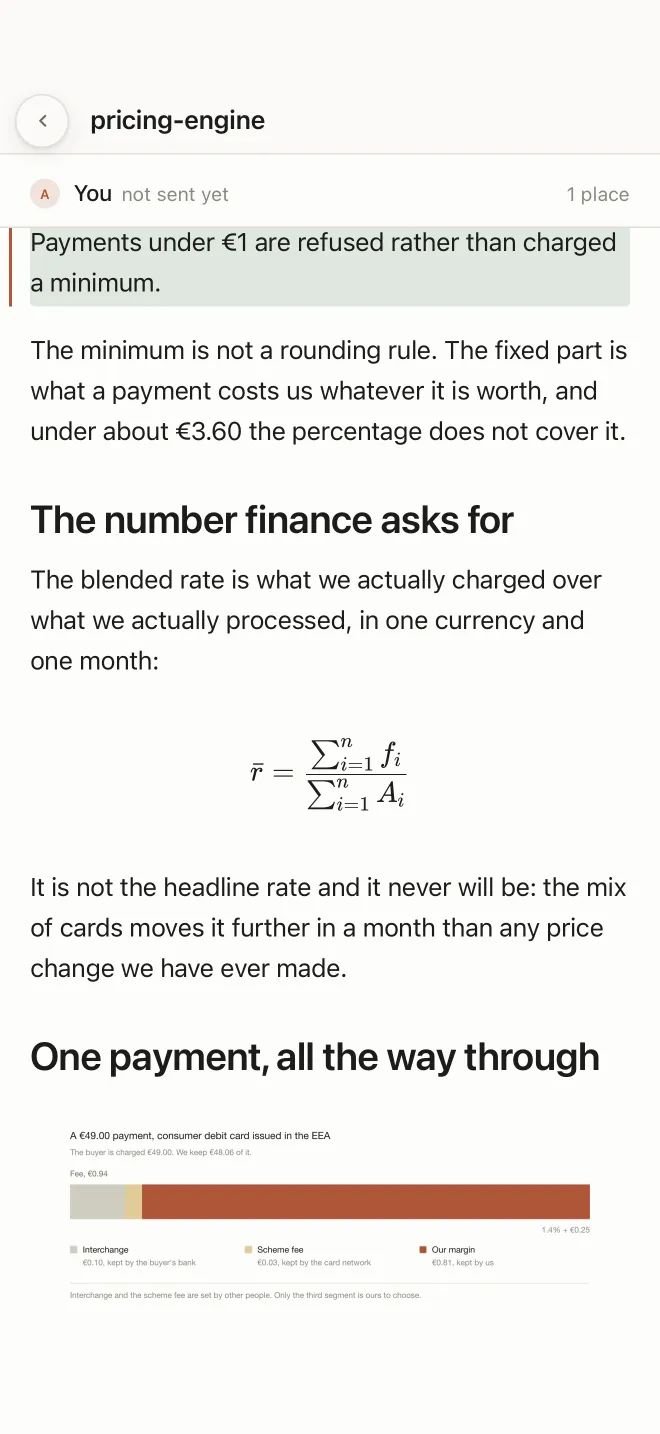
All your data is on this phone and in your git. An edit sits here, marked as not sent, until you publish it with one sentence about what changed - and then it is a commit under your name, in the repository you already had.
  • Notula never sees your password. You sign in on GitHub's or GitLab's own page
  • The token is kept in the iOS keychain, which no other app can read
  • Dictation is done by iOS on the device. No recording is kept once the words are on the page
  • Only the repositories you tick are read. The rest of the account stays out of reach
The privacy policy for the phone
A document on the phone with a line highlighted and a bar at the top reading: You, not sent yet, one place.

Where it actually is

The honest state of the phone app today.

TestFlight A build is up and being tested. An invitation is what gets you into it
The App Store Not submitted yet
iPhone What the pictures on this page were taken on
iPad Not laid out for yet
Android Not released
Comments Leave one, reply to one. Suggested edits and the review inbox are the desktop app
Your account None. You sign in to GitHub or GitLab and nowhere else, and Notula never sees the password

The beta runs on TestFlight

Send the address your Apple ID uses and an invitation goes to it. TestFlight writes to that address, and it is not passed anywhere.

Goes to the people building it, and to no counter. One more message on the day it is on the App Store, and nothing after that.

The same documents open on the desktop meanwhile, where the review tools are.